
BaZi Guide
BaZi Calculator with Explanation: What a Four Pillars Chart Shows
A BaZi calculator can generate the Four Pillars. Understanding the chart still requires an explanation of how its parts relate.
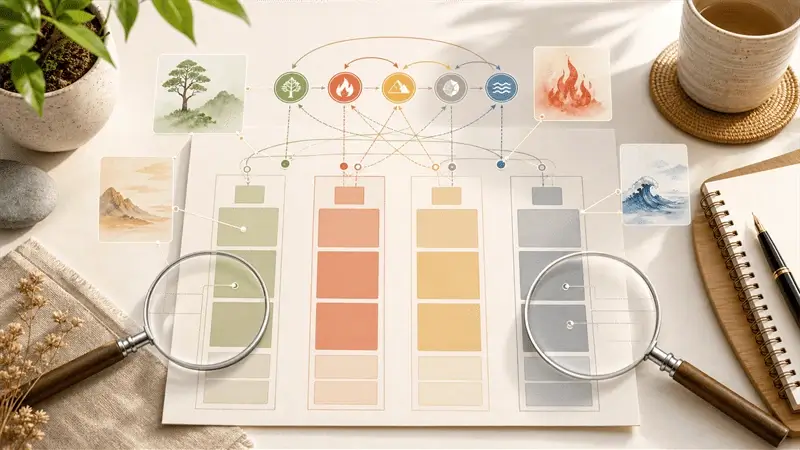
A calculator gives the chart, not the whole reading
A BaZi calculator turns birth data into a Four Pillars chart. It can show the year, month, day, and hour pillars alongside the Heavenly Stems, Earthly Branches, Day Master, and often the Five Elements or Ten Gods. What it displays is the chart itself, not a complete reading.
Think of the chart as a map: the calculator draws it, while the explanation shows you how to read it.
What information a BaZi calculator needs
Most BaZi calculators ask for your birth date, birth time, and birthplace. Some also ask for gender because certain timing systems use it to arrange Luck Pillars. Birthplace matters because time zone, daylight saving, and local solar-time correction can affect the calculation near a boundary.
If you do not know your exact birth time, some parts of the chart can still be read, but the hour pillar becomes uncertain. The calculator or report should show that uncertainty instead of treating the hour as known.
What the Four Pillars output means
The Four Pillars are year, month, day, and hour. Each pillar contains one Heavenly Stem and one Earthly Branch. Together they form the Eight Characters. For a new reader, the difficult part is knowing where to look first.
Start with the day pillar. Its Heavenly Stem is the Day Master, the reference point for the rest of the chart. Next, read the Month Branch for seasonal context. The Five Elements and Ten Gods then show how support, output, pressure, resources, and exchange appear in the chart.
What you can see quickly
The pillars, stems, branches, Day Master, element distribution, and sometimes the Ten Gods or hidden stems.
What needs explanation
Strength, usefulness, seasonal context, relationships between elements, life-area meaning, and timing activation.
Why element counts are not enough
Many calculators show how many Wood, Fire, Earth, Metal, and Water markers appear. The count can be useful, but it can also mislead. BaZi involves more than counting: an element's role depends on the Day Master, season, position, and relationship with the other elements.
If a chart appears to lack Fire, that does not automatically mean it needs Fire. A large amount of Water is not automatically good or bad either. The interpretation depends on what those elements are doing in the chart.
Why Ten Gods make the chart practical
The Ten Gods translate element relationships into everyday language. They can connect a chart with learning, expression, pressure, rules, resources, peer force, practical goals, or relationship friction.
On their own, Ten God labels can look like mysterious terms. Once their derivation is explained, they connect the chart's structure with personality, career style, relationship patterns, and timing.
What to do after generating your chart
After using a BaZi calculator, read in this order:
- Confirm birth data and calculation assumptions.
- Identify the Day Master.
- Read the Month Branch and seasonal context.
- Review Five Elements as relationships, not just counts.
- Use Ten Gods to connect structure to life patterns.
- Read report sections for relationships, career, wealth, and timing.
Is a free BaZi calculator enough?
It is enough to generate a chart and begin learning the symbols. It is not always enough to understand the chart's relationships, useful elements, or timing.
Why do calculators sometimes disagree?
They may handle time zones, solar-time adjustment, solar-term boundaries, daylight saving, or display conventions differently.
What should I read next?
Start with how birth data becomes a Four Pillars chart, then see why a calculated chart is not yet a reading. Continue with how to read a BaZi chart step by step and when True Solar Time matters.
Use the chart as a starting point
Use the calculator to verify the birth input and see the Four Pillars clearly. Element counts and isolated labels are a starting point; the next step is to read how the chart's parts relate.
Start with your chart
See these ideas in the context of your own chart
Enter your birth date, time, and place to generate a Free Brief. Review the chart facts and core themes first, then decide whether to unlock the Full Report.
Generate my Free Brief